

White-Label Dashboard
The white-label dashboard gives your publishers a branded login portal where they can view their statistics, access offer tracking links, and configure their own postbacks. You control the domain, branding, and terms.
Enable the publisher portal
Section titled “Enable the publisher portal”- Go to Organization > Settings.
- Select the Partner Login tab.
- Turn on Enable Publisher Signup and enter Approver Emails.
- Click Save.
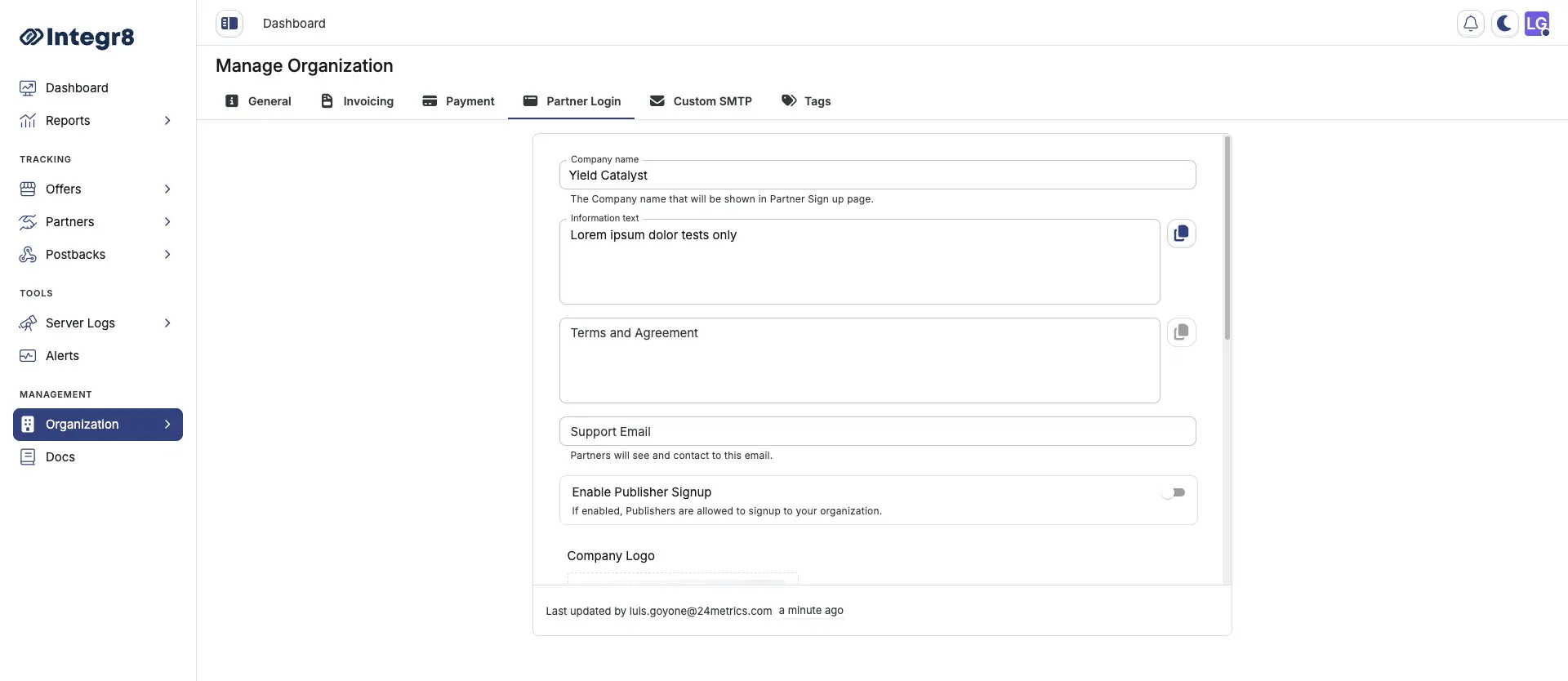
Publisher signup settings
Section titled “Publisher signup settings”On the Partner Login tab, set up publisher self-registration:
- Enable Publisher Signup: Turn this on to allow publishers to sign up to your organization. Leave it off if you onboard publishers manually.
- Approver Emails: Enter the email addresses that receive a notification on every publisher signup.
Configure profile settings
Section titled “Configure profile settings”On the Partner Login tab, set the following fields:
| Field | Description |
|---|---|
| Company Name | Appears on the login page and in emails sent to publishers |
| Information Text | Optional short description shown on the login page |
| Terms and Agreement | Publishers must accept these during signup |
| Support Email | Displayed to publishers for help requests |
Set up custom domain
Section titled “Set up custom domain”- On the Partner Login tab, enter your subdomain in the Custom Domain field (e.g.,
partners.yourdomain.com). - Copy the CNAME record shown.
- Log in to your DNS provider and add the CNAME record to your subdomain.
- Wait for DNS propagation (5–30 minutes), then return to Integr8 and click Verify Domain.
SSL is provisioned automatically after domain verification. Do not add an A record — CNAME only.
Upload branding assets
Section titled “Upload branding assets”| Asset | Where it appears |
|---|---|
| Company Logo | Login page, signup page, and email headers |
| Dashboard Logo | Expanded sidebar inside the publisher dashboard |
| Company Icon | Browser favicon and collapsed sidebar icon |
Upload each asset on the Partner Login tab under Branding. Supported formats: PNG or SVG, minimum 200px wide.