

Publisher payments
The payments overview shows the total payout due to each publisher for a selected time period. Use it to review amounts before processing payments and to export data for your accounting system.
Before you begin
Section titled “Before you begin”- Configure billing for the publishers you want to pay. Publishers without billing data do not appear here.
Open the payments overview
Section titled “Open the payments overview”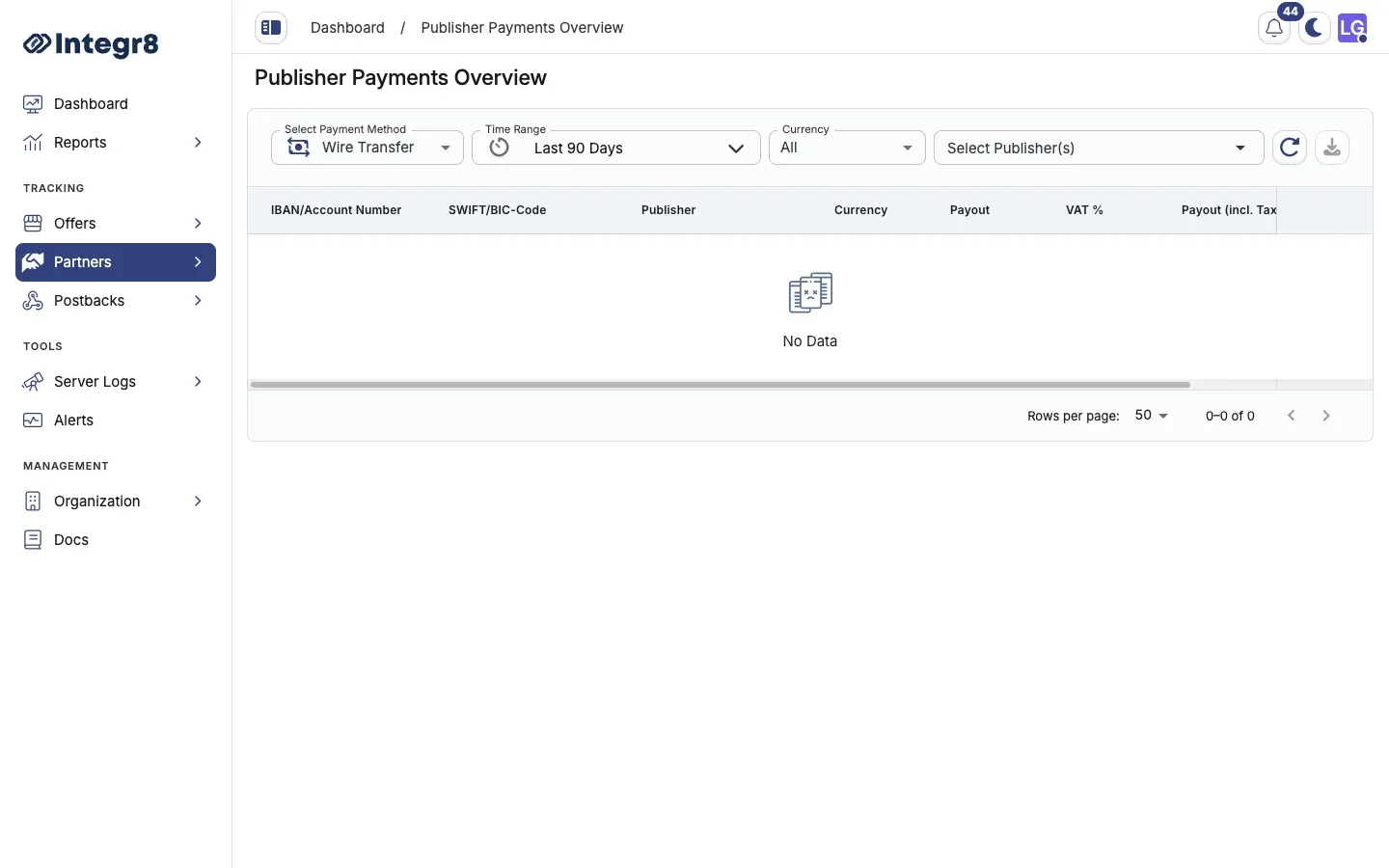
- Go to Partners > Publisher Payments.
- Use the filter controls to narrow the view:
- Payment method: filter by Tipalti, PayPal, or Wire Transfer.
- Time range: pick the billing period.
- Currency: filter by USD, EUR, or other configured currencies.
- Publisher: filter to a specific publisher.
Edit a payout
Section titled “Edit a payout”To manually adjust a payout amount:
- Open the row action menu and click Adjust Payout.
- Enter the corrected amount.
- Click Save.
Manual payout edits are not logged automatically. Document your reason externally before making adjustments.
Exclude a publisher from the export
Section titled “Exclude a publisher from the export”To remove a publisher from the current export without deleting the payout data:
- Open the row action menu and click Exclude from Report.
The publisher’s data is still stored in Integr8 but will not appear in the CSV export for the current session.
Export to CSV
Section titled “Export to CSV”Click the Export icon in the top right of the table to download the current filtered view as a CSV file.
Column reference
Section titled “Column reference”Columns vary slightly by payment method filter.
| Column | Description |
|---|---|
| Publisher | Publisher name |
| Tipalti ID | Shown when filtering by Tipalti |
| PayPal Email | Shown when filtering by PayPal |
| IBAN/Account Number | Shown when filtering by Wire Transfer |
| SWIFT/BIC-Code | Shown when filtering by Wire Transfer |
| Currency | Payout currency |
| Payout | Net payout amount |
| VAT % | Applicable tax rate |
| Payout (incl. Tax) | Total due including VAT |
Next steps
Section titled “Next steps”- Configure or update publisher billing if a publisher is missing from the report.