

Coupon codes
Coupon codes give publishers a shareable code instead of (or in addition to) a tracking link. They work well for social media, newsletters, and influencer campaigns where tracking links are stripped or ignored. Each coupon code is unique to one publisher and one offer. Integr8 attributes conversions to the publisher when the coupon is used at checkout, based on advertiser postback data that includes the coupon code value.
Before you begin
Section titled “Before you begin”- Add the publisher who will own the coupon.
- Confirm with the advertiser that they will return the coupon code in their conversion postback. Without this, attribution does not work.
Create a coupon code
Section titled “Create a coupon code”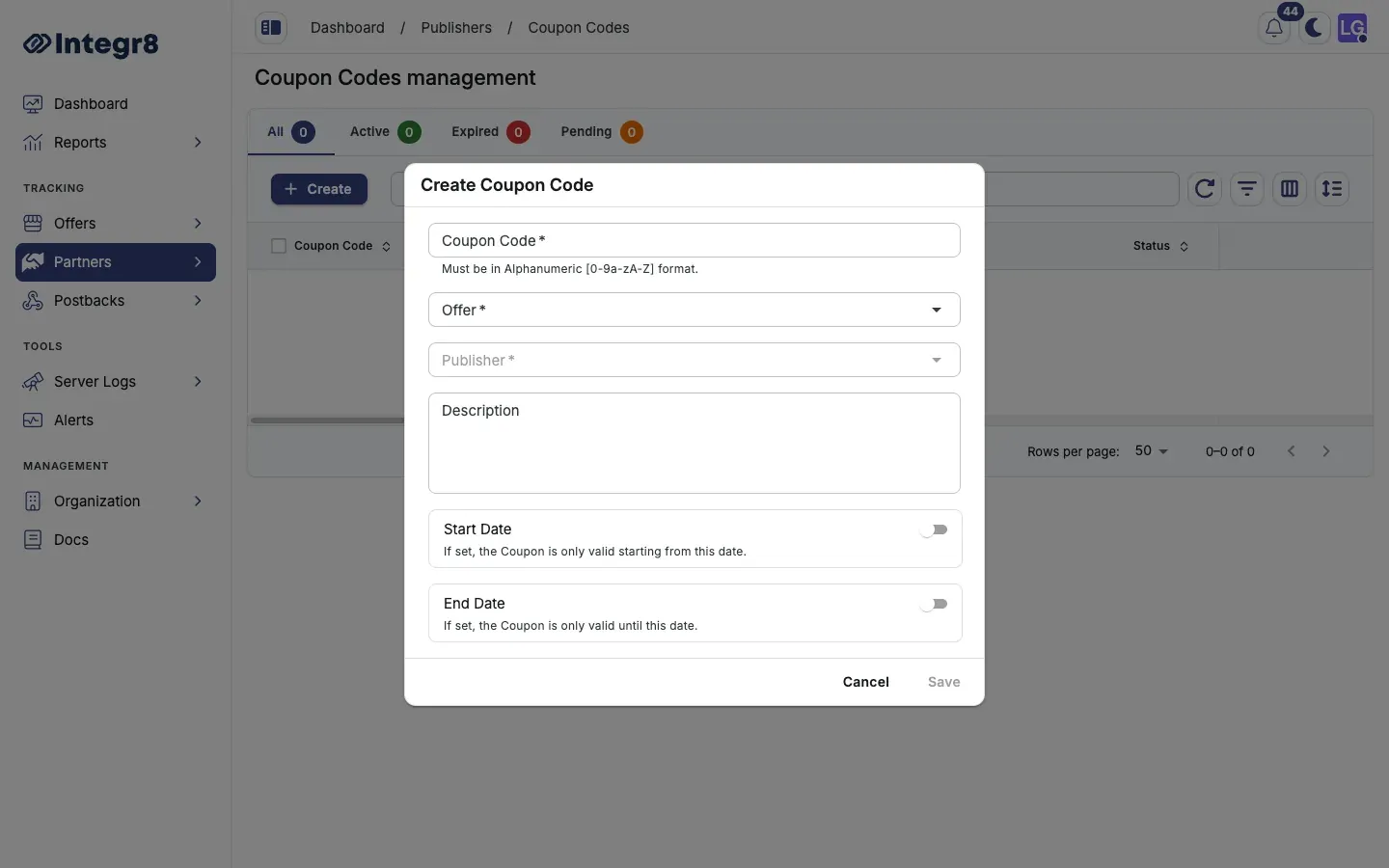
- Go to Partners > Coupon Codes.
- Click Create.
- Fill in the fields:
- Coupon Code: the coupon code string, for example
PUBLISHER20. Alphanumeric only. - Offer: the offer this code is tied to.
- Publisher: the publisher who owns this code.
- Description: optional, for internal reference.
- Start Date and End Date: optional. If set, the code is only active inside the window.
- Coupon Code: the coupon code string, for example
- Click Save.
How publishers access their codes
Section titled “How publishers access their codes”Publishers see their coupon codes in the white-label dashboard under Coupons. Each code comes with a pre-built tracking link for environments where a link is also appropriate.
Attribution
Section titled “Attribution”For coupon attribution to work, the advertiser must pass the coupon code in their conversion postback. Typically this is done via a coupon_code parameter in the S2S postback URL. Confirm this mapping with the advertiser before launching the campaign.
If the advertiser does not return the coupon code, conversions cannot be attributed. Verify the integration end to end before distributing codes.
Next steps
Section titled “Next steps”- Set up conversion tracking so postbacks carry the coupon code back to Integr8.
- Configure the white-label dashboard so publishers can find their codes.