

Billing
Publisher billing information must be set before a publisher appears in the payments overview. Without it, payout data is not processed correctly. This guide walks through configuring billing for one publisher.
Before you begin
Section titled “Before you begin”- Create the publisher account.
- Get the publisher’s preferred payment method, payout currency, and (if applicable) VAT registration details.
Configure billing
Section titled “Configure billing”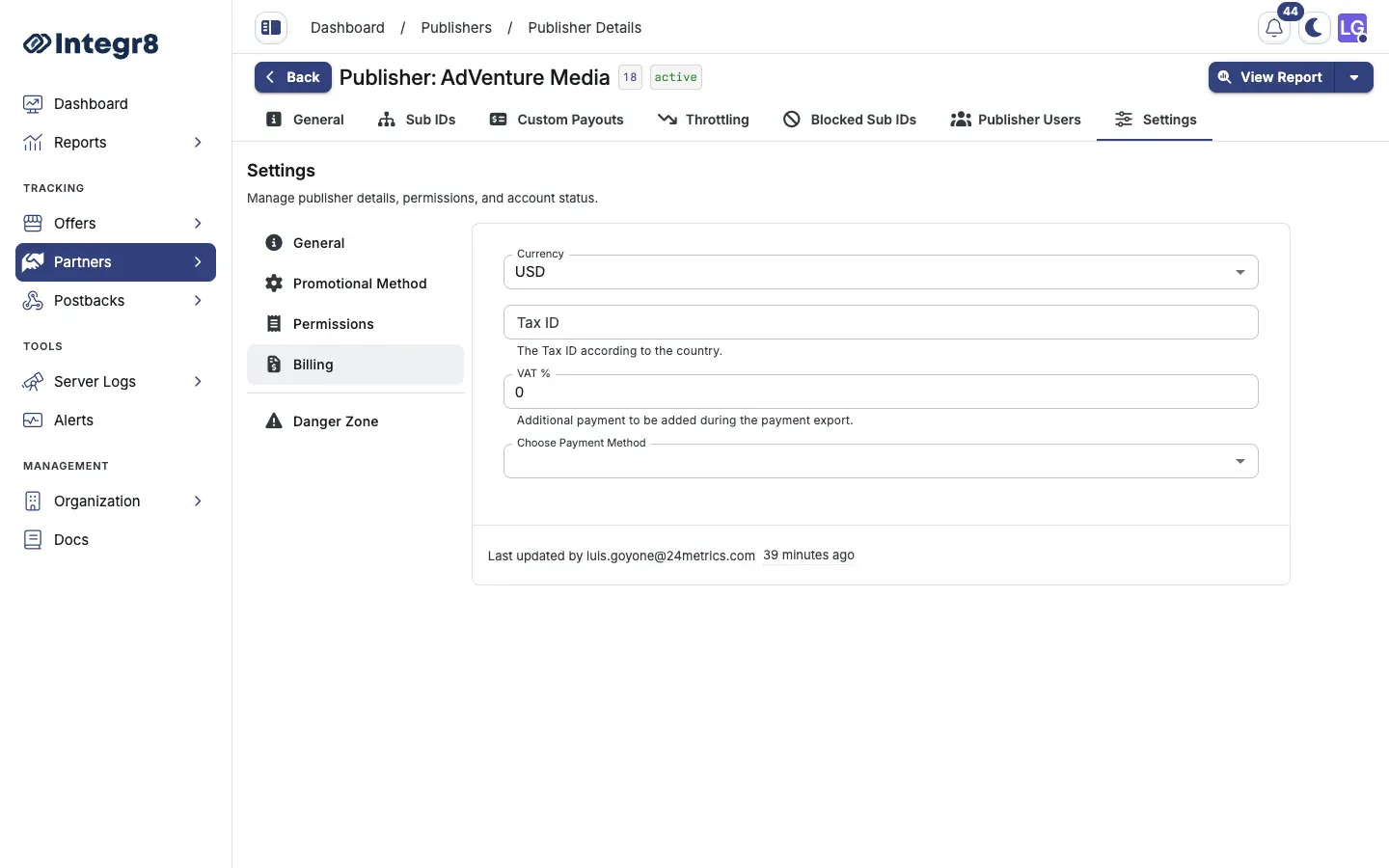
- Go to Partners > Publishers Management and open the publisher.
- Select the Settings tab.
- Open the Billing section.
- Fill in the fields:
- Currency: the currency for this publisher’s payouts.
- Tax ID or VAT Number: the publisher’s tax registration number, if applicable.
- VAT %: the applicable VAT rate. Enter
0if not applicable.
- Pick a Payment Method:
- Tipalti (recommended): supports ACH, wire transfer, PayPal, SEPA, SWIFT, local bank transfers, and virtual cards.
- PayPal: enter the publisher’s PayPal email address.
- Wire Transfer: enter the publisher’s bank account details.
- Click Save.
A payment method and its method-specific details are required for payment processing. Publishers without a configured payment method will not appear in the payments overview and cannot be paid.
You can also set billing during publisher creation on the final Billing step of the create wizard.
Supported payment methods
Section titled “Supported payment methods”| Method | Supported currencies | Notes |
|---|---|---|
| Tipalti | 120+ currencies | Preferred for international publishers; handles tax compliance |
| PayPal | USD, EUR, GBP, and others | Requires the publisher to have a PayPal account |
| Wire Transfer | Depends on bank | Higher fees for international transfers |
Next steps
Section titled “Next steps”- Process publisher payouts once billing is set.
- Set custom payouts per offer for this publisher.