

Custom payouts
Custom payouts let you pay individual publishers a different rate than the global offer payout. This is useful when negotiating higher rates with top-performing publishers, or lower rates for new and unproven sources.
Open Partners > Publishers Management, select a publisher, then go to the Custom Payouts tab.
Before you begin
Section titled “Before you begin”- Configure global revenue and payout for the offer.
- Add the publisher you want to set a custom rate for.
Create a custom payout
Section titled “Create a custom payout”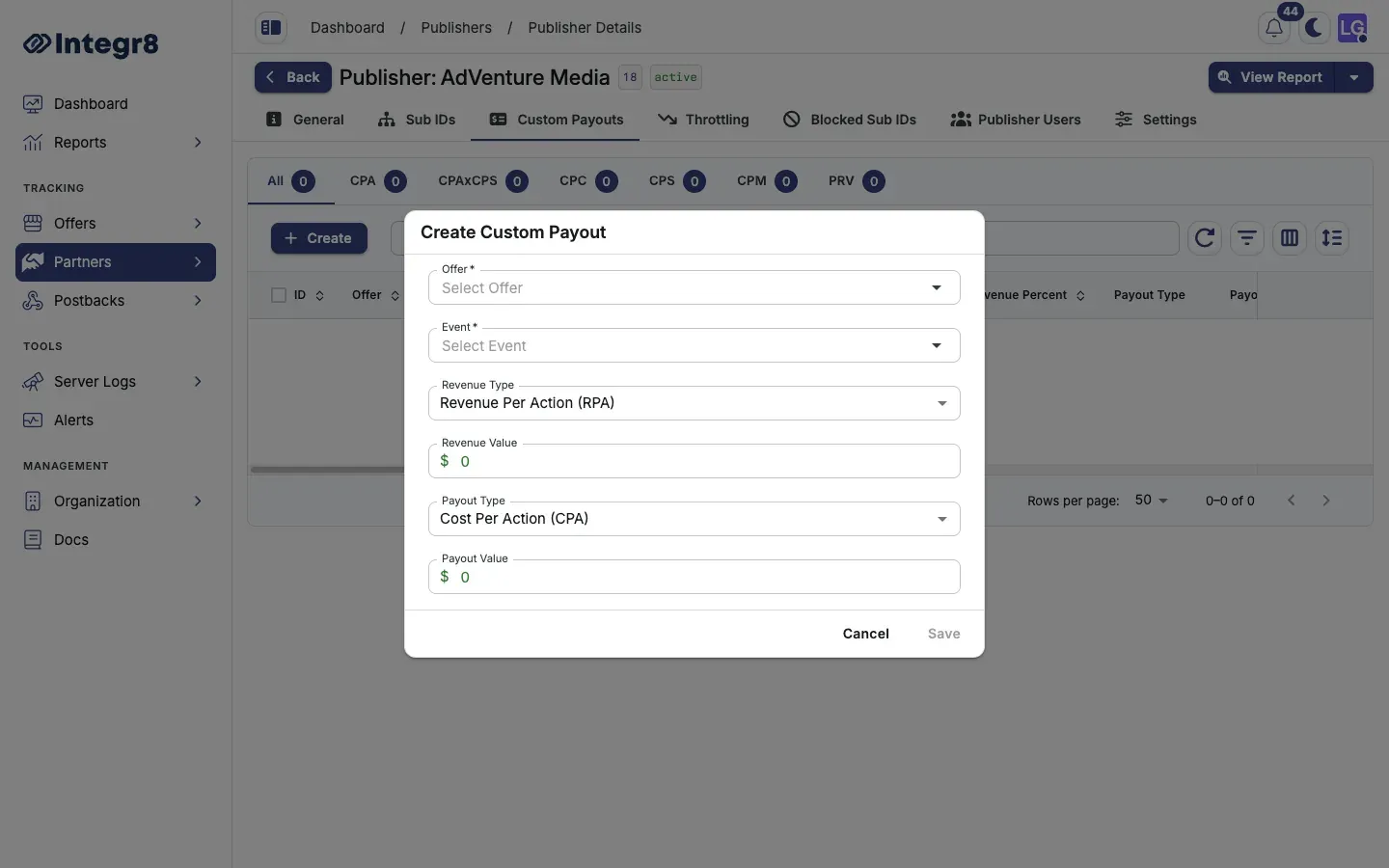
- Go to Partners > Publishers Management and open the publisher.
- Select the Custom Payouts tab.
- Click Create.
- Set:
- Offer: pick the offer this custom payout applies to.
- Event: pick the conversion or event that triggers the payout.
- Revenue Type and Revenue Value (or percent for RPS and RPAxRPS).
- Payout Type and Payout Value (or percent for CPS, PRV, and CPAxCPS).
- Click Save.
The custom payout overrides the global payout for this publisher on the selected offer and event. Other publishers keep the global rate.
How custom payouts interact with global payouts
Section titled “How custom payouts interact with global payouts”| Scenario | What the publisher gets paid |
|---|---|
| No custom payout exists | The global offer payout |
| Custom payout exists for this offer + event | The custom value |
| Custom payout exists for this offer + a different event | The global payout for events without an override |
When set, custom revenue fields override the global offer revenue for that publisher and event.
Payout and revenue types
Section titled “Payout and revenue types”Same type system as Revenue and payouts:
- Revenue: RPA, RPS, RPC, RPM, RPAxRPS
- Payout: CPA, CPS, CPC, CPM, CPAxCPS, PRV
Field reference
Section titled “Field reference”| Field | Required | Description |
|---|---|---|
| Offer | Yes | The offer this custom payout applies to |
| Event / Conversion | Yes | The trigger that pays out |
| Revenue Type | Yes | RPA, RPS, RPC, RPM, or RPAxRPS |
| Payout Type | Yes | CPA, CPS, CPC, CPM, CPAxCPS, or PRV |
| Revenue / Payout Value | Yes | Amount or percent based on type |
Next steps
Section titled “Next steps”- Set offer caps so a higher-payout publisher does not blow your margin.
- Configure throttling to control click volume independently of payout.