

Offer caps
Caps let you limit how much traffic or how many conversions an offer can receive within a time window. When a cap is reached, new clicks are redirected to the offer’s fallback URL or blocked. You can apply caps at the offer level (all publishers) or per publisher.
Before you begin
Section titled “Before you begin”- Create an offer and configure its revenue and payouts.
- Decide whether you need a single offer-wide cap or different limits per publisher.
Set offer-wide capping
Section titled “Set offer-wide capping”The default All Publishers row on the Capping tab holds the offer-wide cap settings.
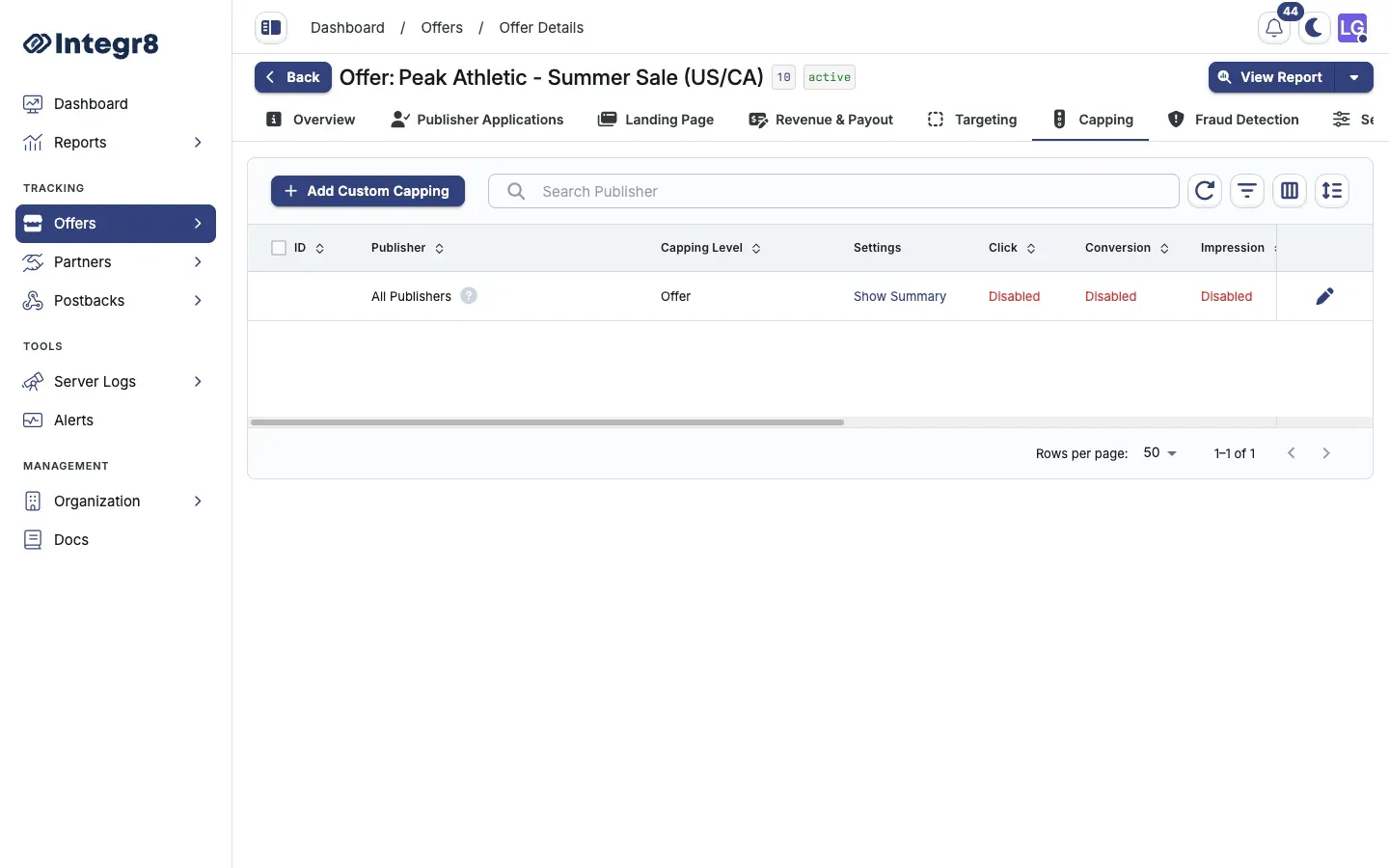
- Go to Offers > Offers Management and open the offer.
- Select the Capping tab.
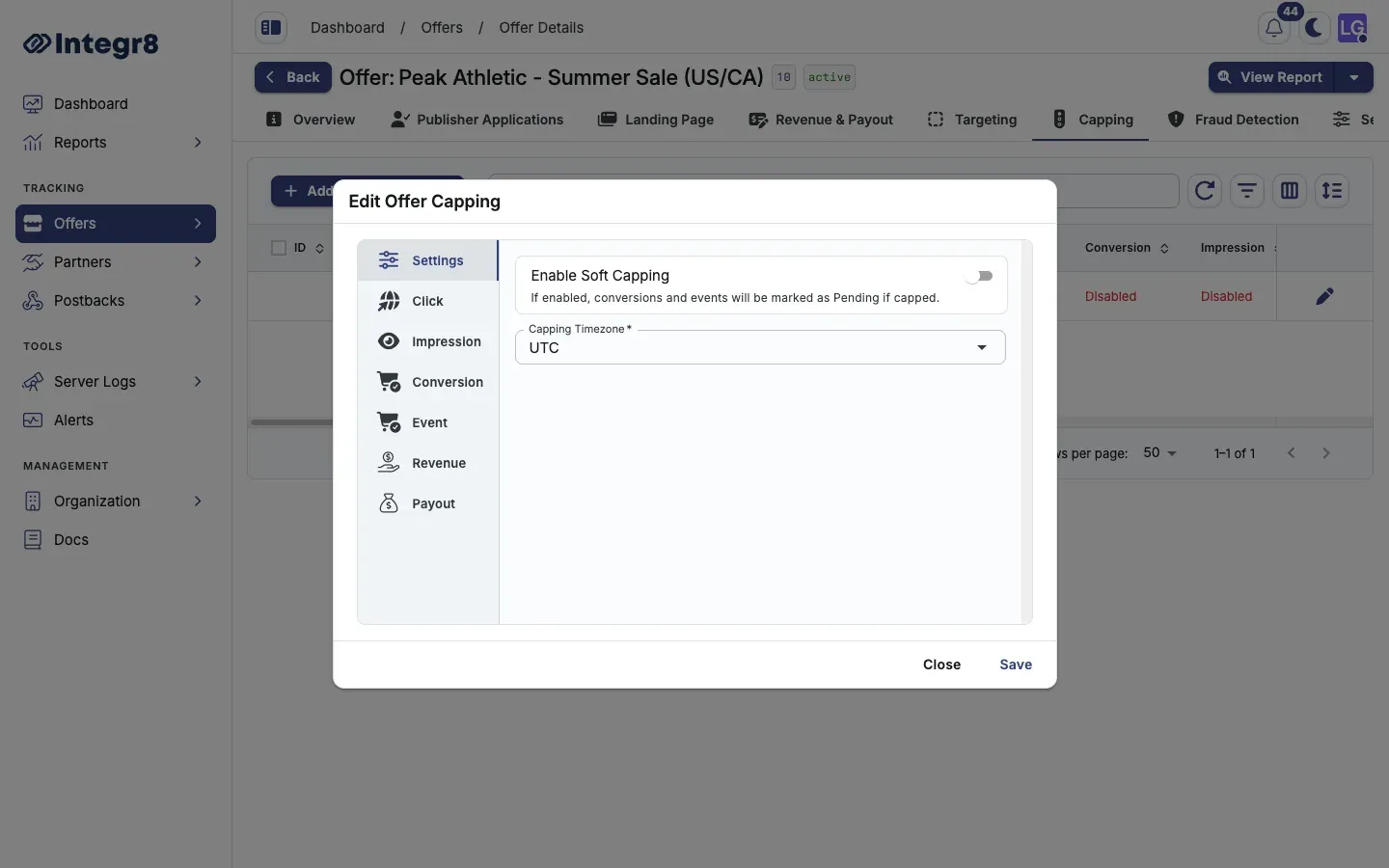
- On the All Publishers row, click Show Summary, then edit, or use the row actions to open Edit Offer Capping.
- Set the Capping Timezone for the cap reset cycle.
- Enable the cap types you need (clicks, conversions, impressions, payout, revenue, events) and set values per interval.
- Click Save.
Set a per-publisher cap
Section titled “Set a per-publisher cap”Per-publisher caps take priority over the offer-wide cap for that publisher.
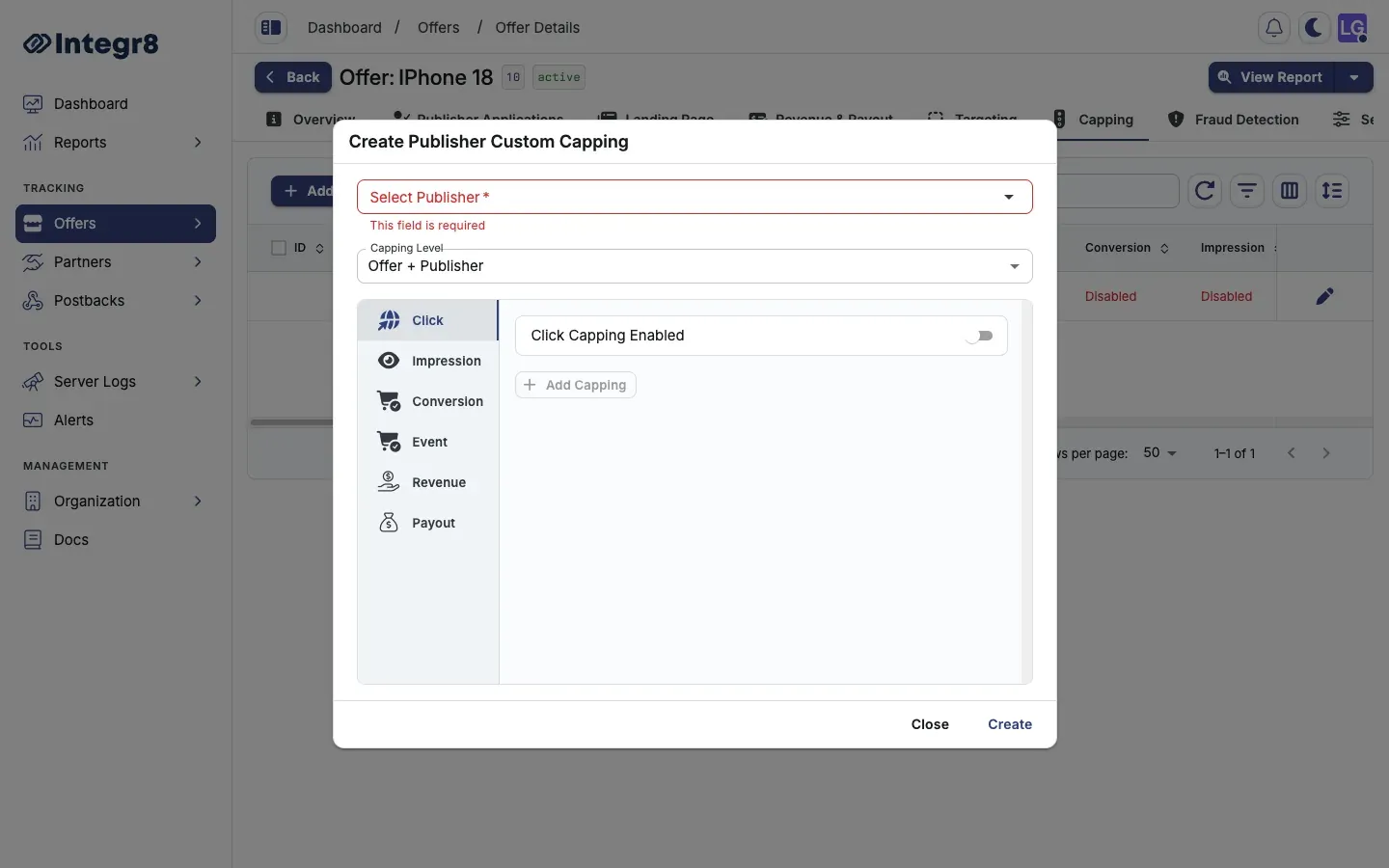
- On the Capping tab, click Add Custom Capping.
- Pick the Publisher from the dropdown.
- Set the Capping Level:
- Offer + Publisher: applies to all traffic from this publisher.
- Offer + Publisher + Sub ID: applies to traffic from a specific sub ID only.
- Configure the cap values and intervals.
- Click Save.
Cap types
Section titled “Cap types”| Cap type | Description |
|---|---|
| Clicks | Maximum click count |
| Conversions | Maximum conversion count |
| Impressions | Maximum impression count |
| Payout | Maximum publisher payout spend |
| Revenue | Maximum advertiser revenue |
| Events | Maximum event count, per event type |
Cap intervals
Section titled “Cap intervals”Each cap type supports limits per interval:
- Every 15 Minutes
- Hourly
- Daily
- Weekly
- Monthly
- Total
Soft capping
Section titled “Soft capping”When Enable Soft Capping is on, conversions that arrive after the cap is reached are recorded with Pending status instead of being dropped. Use soft capping to avoid losing attribution data around cap boundaries.
Next steps
Section titled “Next steps”- Use a Smart Link to route capped traffic to a fallback offer instead of dropping it.
- Apply targeting rules so ineligible traffic is filtered before it counts against the cap.